Neo 0.1.5 makes reporting a problem easy
Report a problem is now a short form with a screenshot attached for you, Back returns to your place in the replies, and three fixes for account regions.
X changes often, and when it does, a part of Neo can stop working. Version 0.1.5 makes it much easier to tell us when that happens, and fixes a few things you told us about.
Report a problem, with a picture
Report a problem used to open a draft email. Now it opens Neo's own short form. Describe what went wrong, add an email address if you'd like a reply, and choose Send report.
- The screenshot is taken for you. With X open, choose Report a problem from Neo's toolbar button, and Neo attaches a screenshot of the page you were on. You see it before anything is sent, and you can remove it.
- From anywhere else in Neo, settings or the panel on X, you can choose a picture or paste one. Neo redraws every picture before sending it, which drops hidden details such as where a photo was taken.
- Only what you see is sent. Your description, your email if you gave one, the screenshot and the X page it shows, and Neo's version, your browser, and Neo's language. Never your settings, muted words, or account. Reports go only to Neo's developer and are deleted after 180 days.
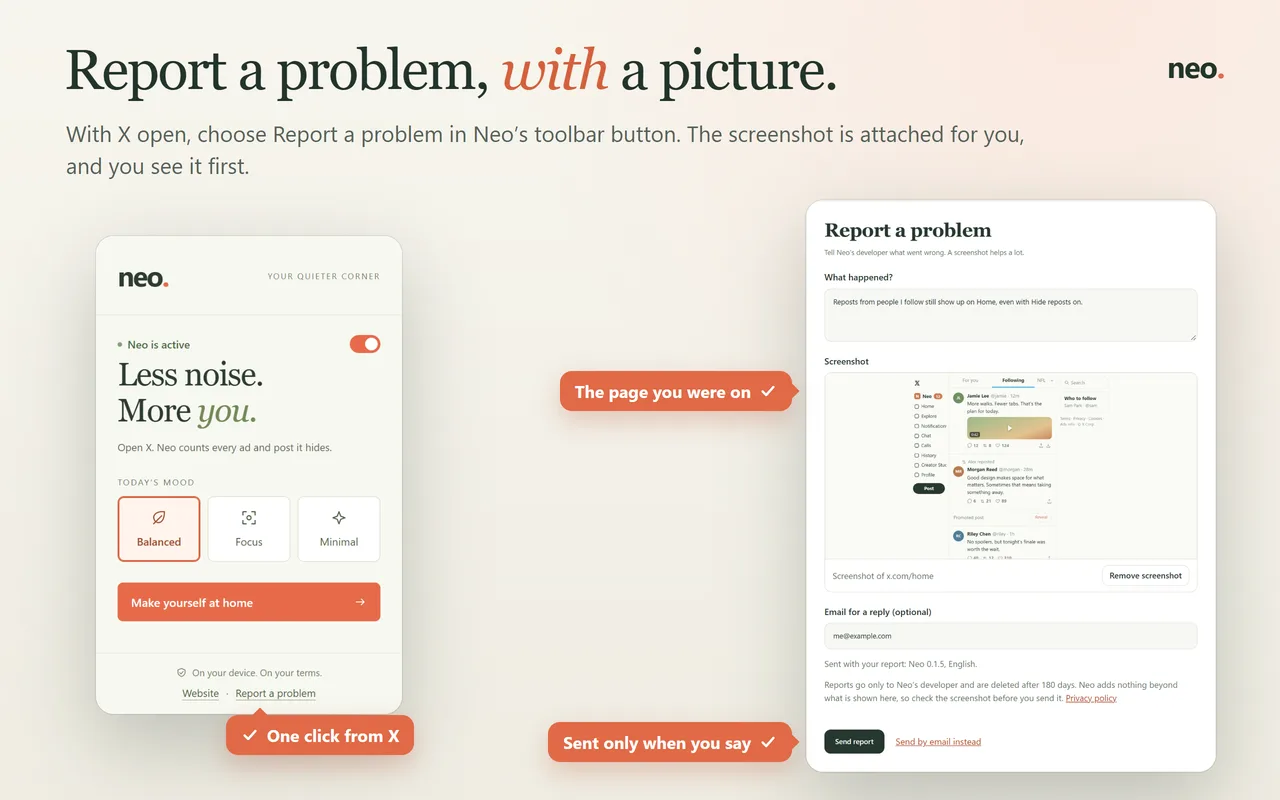
To take that one screenshot, Neo now asks Chrome for the activeTab permission. It lets Neo see only the tab you're on, only when you click, and Chrome shows no new warning for it. The privacy policy has the details. Prefer email? Send by email instead is still on the form.
Back to where you were
With a reply order chosen, opening a reply and pressing Back took you to the top of the replies, not the one you had scrolled to. Neo now remembers how far down you were and takes you back there. It stops the moment you scroll, click, or type.
Account regions, fixed
- Hover cards never block anyone. With Auto-block on, hovering over a name, such as an @mention or an account in Who to follow, could block that account if its region was on your list. Hover cards now only show the region. Auto-block acts only on the authors of posts you scroll past, as it always said.
- A post you reveal stays revealed. A post hidden for a muted word could fold again a moment after you chose Reveal post, once Neo looked up its author's region. Not anymore.
- Labels on replies stay off. With Labels on replies turned off, labels came back once you scrolled far down a post. Now replies stay unlabeled however far you scroll.
Getting it
0.1.5 is on the Chrome Web Store. Chrome updates Neo by itself, so there's nothing for you to do. The download on this site has it as well.