Keep what you came for.
Prefer Following. Filter reposts and promoted posts. Put trends, suggestions, and unused navigation out of the way.
 neo.Say hello
 Keep the conversations. Lose the clutter.
Make your corner of the internet feel like home.
Early access · v0.1.0 · Install manually in Chrome
Balanced, Focus, or Minimal. Start with a mood, then make it your own. Every control has a place. Every choice stays in your browser.
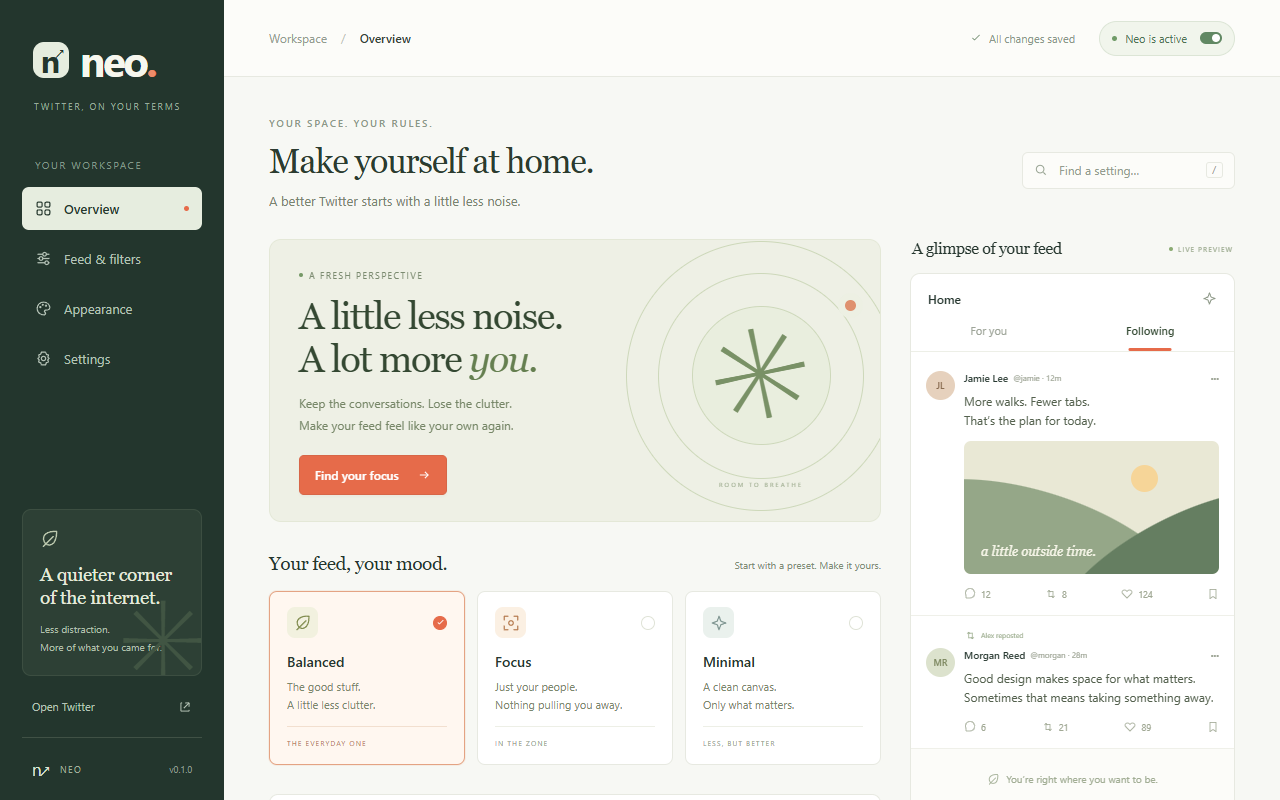
Prefer Following. Filter reposts and promoted posts. Put trends, suggestions, and unused navigation out of the way.
Mute phrases and author handles locally. See why a post was filtered, and reveal it whenever you want.
Choose a feed theme, adjust your text size, and leave a little room to read. Save your setup or take a backup with you.
This early-access version is installed manually. The Chrome Web Store listing is not published yet.
Download Neo v0.1.0Download the ZIP and extract it into a folder you’ll keep on your computer.
Open chrome://extensions, enable Developer mode, then choose Load unpacked and select the extracted folder containing manifest.json.
Refresh X/Twitter, pin Neo in your extensions menu, and open its control panel. Your changes save automatically.
Neo customizes the desktop X/Twitter website. Some controls currently recognize English labels, and X’s interface changes can require updates. Feed themes cover the main timeline and navigation. Found something that needs attention? Tell Neow.