Neo 0.1.2: save videos, and see the time you got back
A download button for videos and GIFs, an Activity page that counts what Neo hid for you, and a settings page rebuilt from the ground up.
Neo 0.1.2 is the biggest update since launch. Here's what's in it.
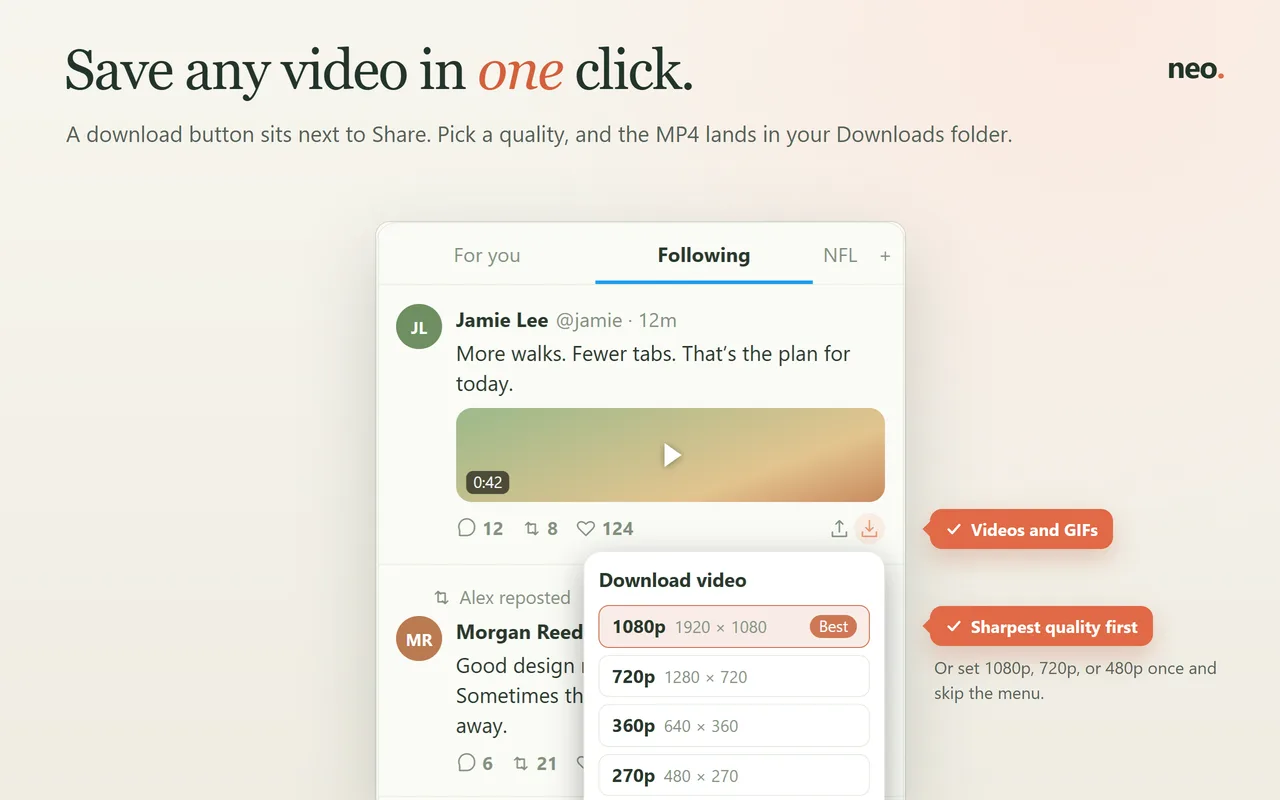
Save any video in one click
Posts with a video or GIF now get a download button next to Share, quoted posts included. Click it, pick a quality, and the MP4 lands in your Downloads folder, named after the account and the post. Neo marks the sharpest quality, or the one you set as your favorite, and never upscales.
Chrome asks for its downloads permission once, when you turn this on in Neo's settings. Neo doesn't ask for it until then.
See what Neo hid for you
The new Activity section counts the posts Neo filtered: ads, reposts, and other posts you didn't want, with an estimate of the time that saved you. Switch between this browser session and all time, or clear the counts whenever you like. The toolbar badge can show the live count too.
Account regions, made easier
- Add a region to your list straight from an account's hover card, in one click.
- A searchable region picker lists the regions Neo has seen first.
- Preview only shows who auto-block would block, without hiding or blocking anyone.
A new settings page
Presets come first, each listing what it hides and keeps. Search with /, a menu that follows you as you scroll, a bigger live preview, and a layout that fits any screen down to phone width. Exports are named with the date, imports are checked before anything changes, and presets, imports, and reset can all be undone.
Need help? Report a problem drafts an email in your own mail app with only Neo's and your browser's versions in it.
Everything that changed is in the release notes.