Neo 0.1.7 gives you a calmer control panel
Neo 0.1.7 is now on the Chrome Web Store, with two simpler layouts, a redesigned panel on X, post-and-quote muting, focus sessions, and fewer unnecessary region lookups.
Neo has grown quite a few controls. Finding the one you want should still feel easy. Version 0.1.7 adds two quieter ways to arrange them, alongside a few things that make the feed itself easier to manage. It is now available on the Chrome Web Store.
Four layouts, one setup
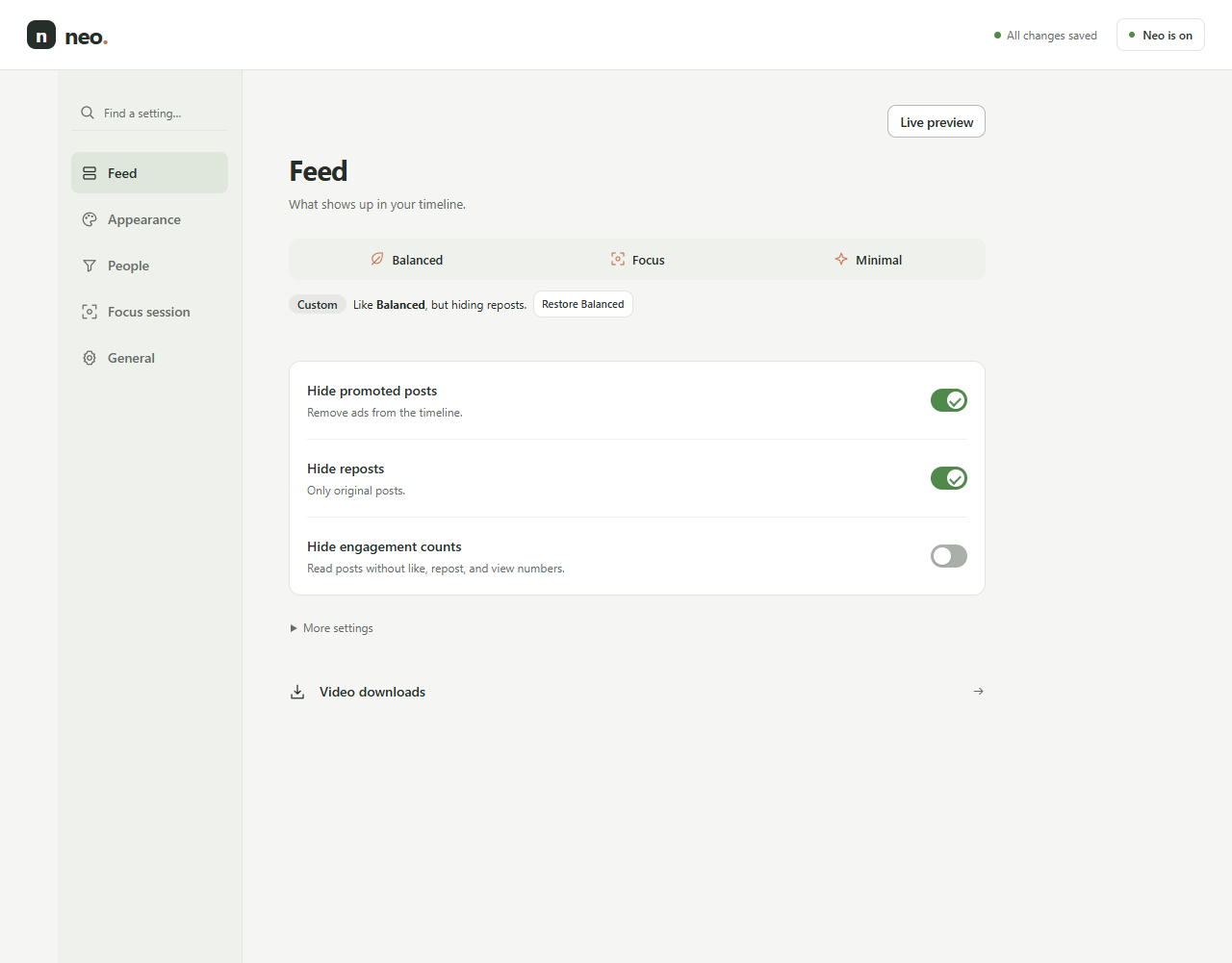
Calm puts settings into five categories: Feed, Appearance, People, Focus, and General. The feed page starts with three everyday switches. More detailed controls open when you need them, and the sample preview opens separately instead of taking up a permanent column.
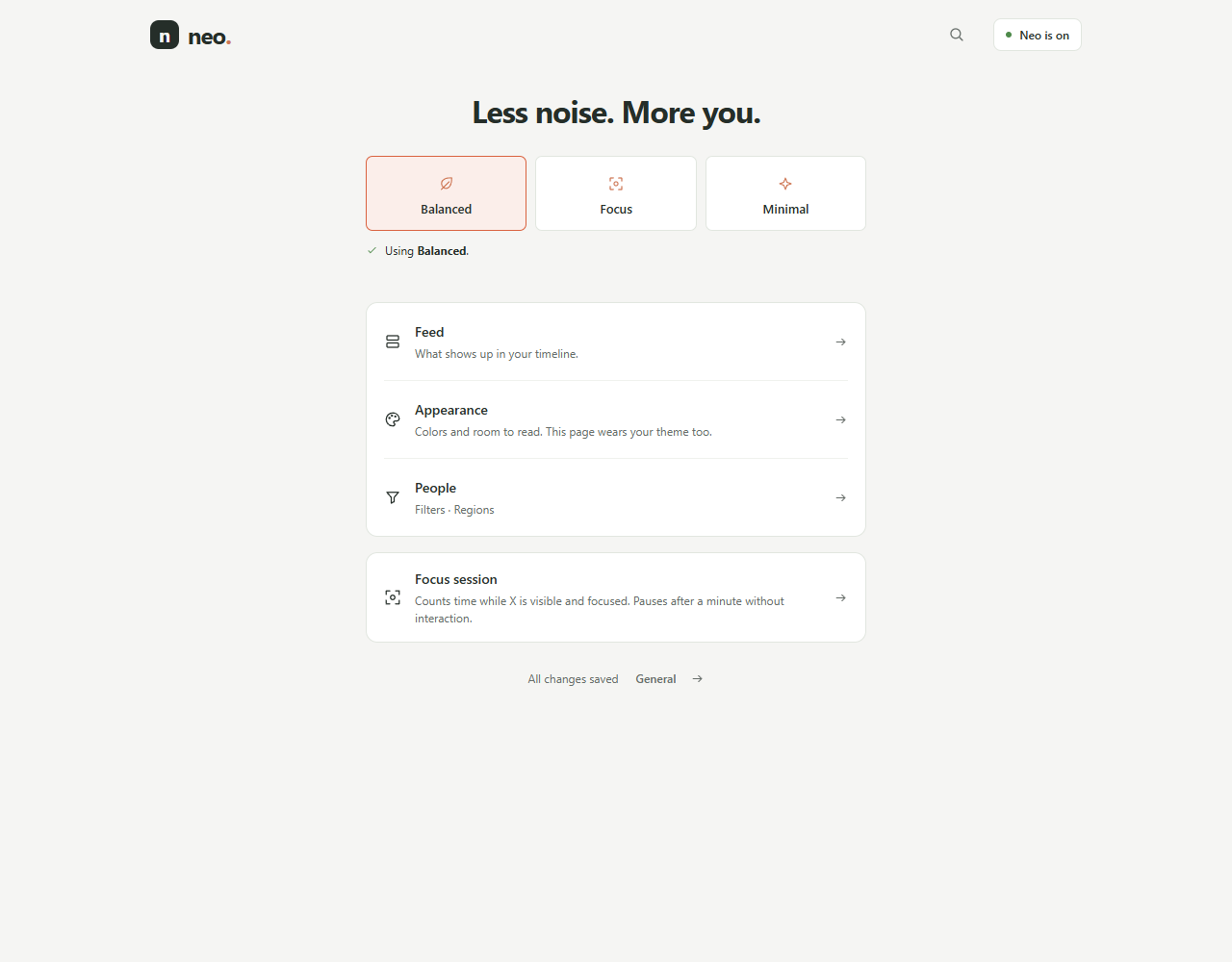
Essentials starts with a compact home: choose a preset, then open Feed, Appearance, or People. A focus session and General settings are nearby. It shows one task at a time.
Classic and New remain available. Your current layout stays selected after updating, and switching layouts keeps your preferences. Choose Layout in the existing header or sidebar; in Calm and Essentials, open General → Layout. Search still finds controls tucked inside expandable groups.
The button on X gets a quieter panel too
Neo's button has a simpler mark and makes it clearer where to open the controls. With Calm or Essentials selected, its quick panel puts the everyday controls first and folds the longer lists and activity counts away. The browser toolbar popup follows the same choice.
You can still keep Neo's button in X's sidebar, put it in place of X's logo, or hide it and reach Neo through X's menu. On phones, the floating button stays above the bottom navigation.
Mute a post and its quotes
The new mute control beside a post's action buttons hides that post and quotes Neo can identify. Choose 24 hours or Until removed, and use Undo if you change your mind. Manage the rules in Filters, under People in the new layouts.
Neo uses explicit quote links and quote IDs from responses X already loaded. It makes no extra request to discover quotes, and leaves posts alone when it cannot identify the relationship. A post you deliberately open stays readable.
A little time for your timeline
Start a focus session for 5, 15, 30, or 60 minutes. The timer counts time while X is visible and focused, pauses after a minute without interaction, and shares the session across tabs. When your time is up, a gentle reminder offers End session or Add 5 minutes.
Start from Activity in the existing layouts, Focus in Calm, or the focus shortcut in Essentials. The toolbar popup can start or end a session too. Nothing starts until you choose it.
Region labels do less work
Tabs now share pending lookups, cached answers, pacing, and rate-limit pauses. Label lookups wait in background tabs and resume when you return. Region filters still look up the data they need. The Regions settings show the remaining allowance X last reported, or Neo's own usage when X did not report one.
Labels on replies and Labels on quoted posts are separate switches. Turning either off also drops lookups needed only for those labels, including when you open a post in a new tab. Main-author labels and profile hover cards keep their own settings.
The updated privacy policy explains the muted-post IDs, shared lookup coordination, and focus timing kept on your device. This update adds no new permission and sends none of that data to Neow.
Getting it
0.1.7 is on the Chrome Web Store. Chrome keeps Neo up to date automatically. Edge, Brave, and other Chromium browsers get the update from the same listing.
Availability of 0.1.7 on Firefox Add-ons has not yet been confirmed.
The early-access ZIP on this site has 0.1.7 now. The release notes list every change.